8xbet App Download Nigeria: Android APK and Mobile Access
Get 8xbet on Your Mobile Device
Download the Android APK
Using an Android phone? Visit the recognised 8xbet website and locate the Android APK download option. Save the installation file to your device, follow the setup instructions and open the application when installation is complete. Before proceeding, confirm that you’re using the correct website and that your device has sufficient storage. Android may also ask you to approve installation from your browser or another specific source. You can grant this permission temporarily and turn it off after installation.Open 8xbet on iPhone or iPad
If you use an Apple device, access 8xbet through Safari or another compatible browser. Open the website, navigate to the mobile platform and sign in using your existing account details. There is no need to search the App Store for an 8xbet native iOS application. The browser-based route lets you access the platform without installing an Android APK or another application file. You can also save a website shortcut to your home screen for quicker access.Use the Mobile Website Without Installing
Prefer to keep your phone’s storage free? Open the 8xbet mobile website in a compatible browser on your phone or tablet. You can navigate the available sports, casino and account sections without completing an application installation. The website is a practical alternative if you’re switching devices, troubleshooting an application or simply prefer browser access. Keep your browser updated and maintain a reliable internet connection for a smoother experience.Keep One Account Across Devices
Already have an 8xbet account? Use your existing login details when accessing the platform through a supported device. You don’t need to create a separate account simply because you’ve switched from Android to an iPhone, iPad or desktop browser. Your account information, available balance and betting history are associated with your account rather than the application installed on a particular phone. Sign in through the recognised platform to access the account information available to you. If you’re new to 8xbet, complete the registration process through the recognised website or supported application. Create only one account and provide accurate information during registration.Install the 8xbet APK on Android
Step 1: Open the Android Download Page
Open your preferred browser on your Android phone and visit the recognised 8xbet website. Find the app download section and select the Android APK option if it is available. Check the website address before proceeding. Avoid APK links sent by unknown contacts or posted on unrecognised download pages. Using the intended download source helps reduce the risk of installing an altered or outdated package.Step 2: Save the APK File
Tap the download option and allow the browser to save the installation file. If your browser asks you to confirm the download, review the prompt before continuing. Wait for the file to finish downloading. You can usually find it in your Downloads folder or through your browser’s download history. If the download stops unexpectedly, check your connection and available storage before trying again.Step 3: Permit the Installation
Android may prevent you from installing an APK downloaded outside an approved app store until you grant permission to the relevant source. Open your device settings and look for an option such as Install unknown apps or Allow from this source. Depending on your Android version, this permission may appear under Apps, Security or another settings category. Select the browser or file manager you’re using and grant permission only if you’re confident that the APK came from the recognised 8xbet website. You don’t need to leave this permission enabled for every application or download.Step 4: Complete the Setup
Return to your Downloads folder and open the saved APK file. Select Install when prompted, then wait for Android to finish setting up the application. If installation fails, don’t repeatedly open the same file without checking the cause. Confirm that the download completed, that the package is compatible with your device and that enough storage is available. Once installation finishes, return to your settings and disable the temporary permission if you no longer need it.Step 5: Launch the Application
Open the installed application from your home screen or app drawer. Give it time to load the main screen and connect to the platform. Check that the main navigation and relevant sections appear correctly. If the application freezes or displays an error, check your connection, restart the application and review the troubleshooting steps later in this guide.Step 6: Sign In or Register
If you already have an account, select the login option and enter your registered phone number or email address and password as requested. Complete any additional security checks displayed on the screen. New eligible players can select the registration option and follow the instructions. Provide accurate details and create only one account. Once you’re signed in, you can explore the available features and review the applicable terms before participating.Open 8xbet on an iPhone or iPad
Visit the Mobile Platform in Safari
Open Safari on your iPhone or iPad and enter the recognised 8xbet website address. Once the page loads, use the site’s navigation to reach the sports, casino or account sections you need. If the website doesn’t display correctly, refresh the page and check your internet connection. You can also update Safari through your device’s software updates or restart the browser if pages continue to malfunction.Save a Home-Screen Shortcut
Make future visits more convenient by adding the website to your iPhone or iPad home screen.- Open the 8xbet website in Safari.
- Tap the Share icon.
- Select “Add to Home Screen,” if available.
- Review the shortcut name and confirm by tapping Add.
Allow Required Browser Settings
Some browser settings may affect whether particular website functions work as expected. For example, cookies may be needed to maintain a login session, while certain browser restrictions can affect a specific page or payment flow. If a feature fails, review the relevant browser settings and follow the instructions displayed by the website. Allow only the permissions needed for the function you’re trying to use. Avoid disabling browser protections unnecessarily.Use Your Existing Login
Open the login page and enter the same registered phone number or email address and password you use on other supported devices. If you cannot sign in, check for typing errors, confirm that you’re using the correct credentials and follow the password-recovery instructions if needed. Never share your password or one-time security codes with anyone claiming to help you log in.Use the Full Platform From Your Phone
Browse Sports and Pre-Match Odds
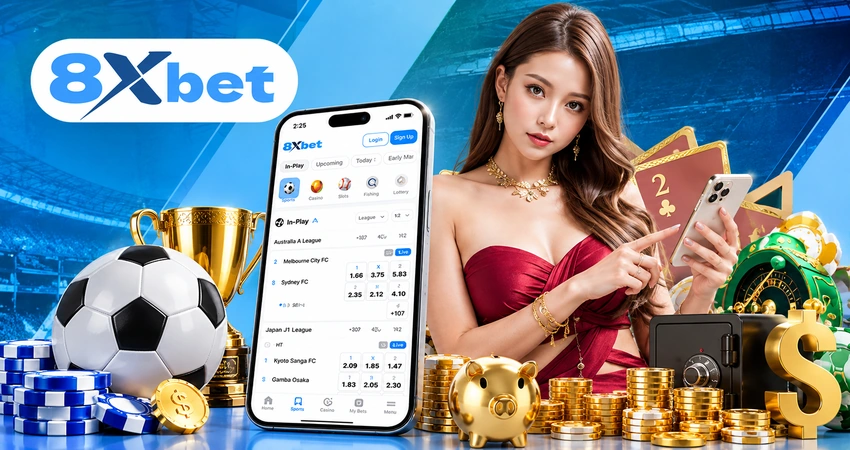
Explore available football fixtures, competitions and betting markets before matches begin. You can review the odds displayed for eligible events, select the markets that interest you and use the mobile bet slip to check your selections before confirming a wager. Other sports and competitions may also be available. Browse the current sports menu for the options listed on the platform rather than assuming every competition or market is always offered. Take time to review your selections and stake before submitting a bet. Odds can change, and a selection is not necessarily accepted until the platform confirms it.Follow Live Betting Markets
Want to follow an event while it’s happening? Live betting lets you view eligible in-play markets and odds as events progress. Keep in mind that live odds can change quickly. Some markets may temporarily close while important moments unfold, and the availability of live streaming or cash out depends on the event and the options presented on the platform. Check the details displayed for your selection before acting.Play Casino and Live Dealer Games
The mobile platform can also provide access to available casino categories. Depending on the current game selection, you may find online slots, blackjack, roulette, baccarat, poker and card games, as well as fish shooting games, jackpots and live casino tables. Open the casino menu to browse the games currently available to your account. Individual games may have their own rules, minimum stakes and other conditions, so review the information provided before playing.Make Naira Deposits and Withdrawals
Use the mobile Cashier to review the available funding and payout options. Select an available deposit method, follow the displayed instructions and check the transaction details before confirming your payment. For withdrawals, follow the Cashier’s payout process and provide any information requested for verification. Keep a record of your transaction references so you can check the status of a payment if necessary. Processing times and available methods can vary. Don’t assume a transaction has succeeded until you receive confirmation through the platform or the relevant payment provider.Check Bonuses and Wagering Progress
Open the promotions section to see which 8xbet bonuses are available to your account.
Current Nigeria offers include the ₦188 Welcome Bonus, a separate ₦188 sports-related reward, ACCA Bonus up to 300%, VIP Friday and daily cashback across selected betting and gaming categories.
The advertised daily cashback rates reach up to 1% for Sports, Slots, Esports, Board Games and Fish Games, and up to 0.8% for Live Casino.
Before participating, check the eligibility requirements, activation steps, qualifying activity and any wagering or withdrawal conditions.
If you’ve already claimed a reward, review the bonus information and available wagering-progress details in your account. Don’t assume that promotional funds are immediately withdrawable.
Manage Profile and Betting Limits
Your mobile account provides a convenient place to review personal details, manage your password and complete verification steps when requested. Check the account settings for available notification preferences and security options. Where responsible-gambling controls are available, use them to set appropriate limits and manage your activity. Keep your contact details accurate so you can receive relevant account communications, and review your account information periodically.Check Compatibility and Data Requirements
Before completing the 8xbet app download, check that your device has enough storage, an appropriate operating system and a reliable connection. These simple checks can help prevent installation problems and interruptions during use.Android System Compatibility
Check the current download page for the supported Android operating-system requirement. Don’t rely on a version number from an older guide, as compatibility requirements can change. If your phone cannot install the APK, confirm that its operating system is supported and that the package matches your device. Install available system updates where appropriate, but avoid downloading files from unofficial sources to work around compatibility restrictions.Free Device Storage
Your phone needs enough free space to download the APK, install the application and store temporary data. Future updates may also require additional space. If storage is running low, remove files you no longer need or clear unnecessary cached data through your device settings. Avoid deleting account information or important files simply to make room for the installation.Stable Mobile Data or Wi-Fi
A reliable connection helps the mobile website and application load properly. Live odds, event updates, streaming where available and live dealer games may be particularly sensitive to connection interruptions. If pages take too long to load, switch to a more stable Wi-Fi or mobile data connection where possible. Be mindful of your data allowance when using video or streaming features.Current Browser Version
For iPhone, iPad and installation-free Android access, use an up-to-date compatible browser. Older browser versions may have difficulty displaying certain pages or supporting newer website functions. Install browser updates through the appropriate official update channel. If a page still fails to load, refresh it, clear unnecessary cached data or try another supported browser.Sufficient Battery and Device Performance
Keep your phone charged, particularly if you’re following a long live event or using a resource-intensive casino game. Close unnecessary applications if your device is running slowly, and avoid interrupting a payment or game round while a transaction or action is processing. A responsive device and stable connection can improve usability, but they cannot guarantee uninterrupted access if the platform or network experiences an outage.Keep the Android Application Current
Keeping the 8xbet Android app updated helps you maintain compatibility with your device and access the version provided through the recognised download page. Follow the available instructions whenever a newer APK is offered.Check the Installed App Version
Open the application’s settings or information section, if available, and look for the installed version. Compare it with the version identified on the recognised download page when that information is provided. If you’re unsure whether an update is needed, follow the instructions displayed by the platform rather than relying on an old version number from another website.Obtain Updates From the Same Source
Use the recognised 8xbet website to obtain the latest available APK. Don’t install update files sent through unknown messages, social media posts or unfamiliar download pages. Before opening a replacement package, verify the source and make sure the download has completed. If the site provides specific update instructions, follow those instructions.Install the New APK Over the Existing Version
When an update is available, open the downloaded APK and follow Android’s on-screen instructions. If the installer offers an update to the existing application, review the prompt and proceed if the source and package are correct. If the installation is rejected, check compatibility, available storage and whether the downloaded package is complete. Don’t assume that deleting the existing application is necessary for every update.Reinstall Without Opening Another Account
If you need to reinstall the application, remember that your account is associated with the platform rather than the installation file on your phone. Removing the app does not, by itself, create a new account or erase the account’s server-stored balance and betting history. Before uninstalling, make sure you know your login details and can access any required recovery method. Reinstall the current APK from the recognised website, then sign in to your existing account.Test Login and Core Features
After updating, open the application and check that you can sign in successfully. Navigate through the sports, casino and Cashier sections to confirm that the pages you need load correctly. If something isn’t working, restart the app and check your connection before attempting another installation. Keep any transaction references if you encounter a payment-related problem.Solve Download, Installation and Loading Errors
APK File Will Not Download
Check that your internet connection is stable and that the browser is allowed to download files. Confirm that your phone has enough free storage and that you’re using the current APK link on the recognised website. If the download stops or produces an incomplete file, remove that incomplete package and download it again. Avoid continuing with a file that didn’t finish downloading.Android Blocks the Installation
Android may block the installation because permission has not been granted to the browser or file manager you’re using. Open the relevant settings and check the temporary Install unknown apps permission. If permission is already enabled, check that the file came from the correct source and that your device supports the package. Don’t ignore a security warning simply to force an installation.The Installer Reports an Invalid Package
An invalid-package message may indicate that the APK is incomplete, damaged or incompatible with your device. Delete the unusable file, check your storage and download the package again from the recognised 8xbet website. If the same message appears again, review the device’s compatibility and the instructions on the download page rather than trying random APK files from other sources.Application Freezes or Crashes
If the application freezes, close it and reopen it. Restart your phone if the problem continues, free up storage and install available device updates. If the application still crashes, consider reinstalling the current APK after confirming that you know your login details. Repeated crashes may also indicate a compatibility problem or temporary platform issue.Mobile Login Does Not Work
First, check that your phone number or email address and password are correct. Look for accidental spaces or typing errors and follow the platform’s password-recovery process if you cannot remember your credentials. If a security code is requested, follow the instructions provided. If the platform indicates that your account is restricted or requires verification, use the recognised support channel to resolve the issue. Don’t create another account to bypass an account restriction.Games or Odds Do Not Load
Start by checking your connection and refreshing the page or restarting the application. If the problem persists, update your browser or APK and clear unnecessary cached data. Some markets and games may be temporarily unavailable because of maintenance, event conditions or platform interruptions. If other sections work normally but one feature remains unavailable, try again later or contact support through the recognised website.Protect Mobile Account Access